
Restaurant POS System in Qatar: How to Choose the Right One
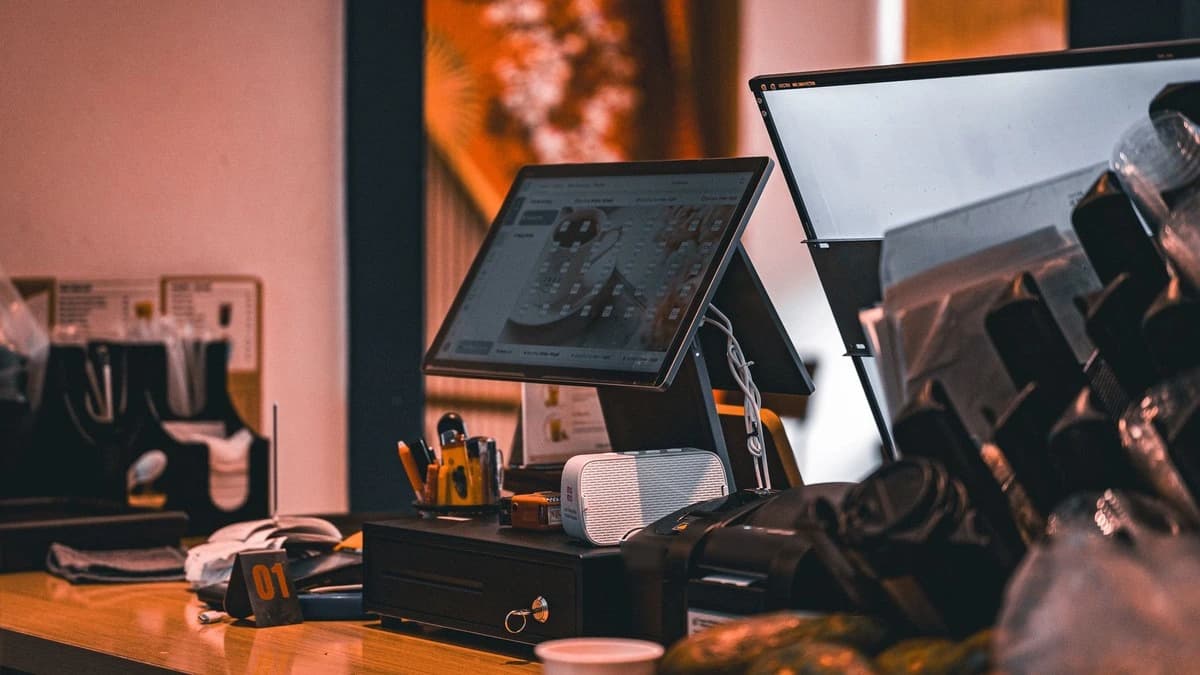
The right restaurant POS system is the one that fits how your restaurant really works: how orders come in, how they reach the kitchen, and who will fix it when something stops on a busy Friday night. Choose the software first, then the hardware that runs it, and buy from a supplier in Qatar who installs and supports both.
This guide explains what a restaurant POS includes, which features matter for cafés, restaurants and cloud kitchens in Doha, the hardware choices that cause the most trouble later, and the questions to ask before you buy.
What is a restaurant POS system?
A restaurant POS (point of sale) system is the ordering and billing setup at your counter. It has two parts:
- Software that takes orders, sends them to the kitchen, prints bills and keeps your sales reports.
- Hardware that runs it: a touch screen POS terminal, a receipt printer, a kitchen printer, a cash drawer and, if you want one, a customer display.
One thing often causes confusion in Qatar: many people say "POS machine" when they mean the bank's card payment terminal. That card machine comes from your bank or payment provider and only takes card payments. A POS billing system runs your menu, orders, bills and reports. Most restaurants use both, side by side at the counter.
Start with how your restaurant works
Before you compare brands, think about a normal busy hour. Who takes the order, where does it go, and how does the customer pay? The answers decide which features you need and how much hardware to buy.
| Type of business | What to look for |
|---|---|
| Café or coffee shop | Fast counter ordering, item options (size, milk, extra shot), quick receipts, a terminal that fits a small counter |
| Quick service and takeaway | Very fast order entry, order numbers, kitchen tickets, clear end-of-day reports |
| Full-service restaurant | Orders by table and waiter, items sent to the right kitchen station, split bills |
| Delivery-focused or cloud kitchen | Dine-in, takeaway and delivery orders kept apart, clear kitchen tickets, reports by order type |
| More than one branch | One menu across branches, and reports from every branch in one place |
Software features that matter most
Fast order taking on a touch screen
Staff should find any item in two or three taps. Look for a menu grouped by category, item options and notes (for example "no onion" or "extra spicy"), and quick buttons for your best sellers. Ask for a demo using a few items from your own menu.
Orders sent straight to the kitchen
When the order is saved, a ticket should print in the kitchen at once, at the right station if you have more than one (hot kitchen, grill, juice counter). This removes handwritten slips and the mistakes that come with them.
Dine-in, takeaway and delivery in one place
Many Doha restaurants take orders in several ways. Keeping them all in one system means one set of reports and one cash-up at the end of the day.
Stock and ingredient tracking
Good restaurant software tracks ingredients as dishes are sold, so you know what is running low and where wastage happens before it shows up in your costs.
Clear reports
Owners should be able to see daily, weekly and monthly sales, best-selling items, payment types and staff performance without exporting anything to a spreadsheet.
Arabic and English
Your customers and staff may read Arabic, English or both. Ask whether menu names and receipts can show both languages, and ask for a printed sample before you decide.
Choosing the hardware
POS terminal
Most restaurants use an all-in-one touch screen terminal at each billing counter. Check these points:
- Screen size that staff can read and tap quickly; 15-inch screens are common at restaurant counters.
- Fanless design, which keeps the terminal quiet and helps reduce dust getting inside, useful near a kitchen.
- Enough ports (USB, serial and LAN) for your printers, cash drawer and customer display.
- Processor and memory that meet your POS software's requirements, with room to spare.
Receipt printer
At the counter, a thermal receipt printer is the usual choice: it is fast, quiet and needs no ink or ribbon. Use a USB model for a single counter, or an Ethernet model when the printer is shared on the network. Popular choices include the Epson TM-T20III and the Epson TM-T88VII.
Kitchen printer: thermal or impact?
This is the choice restaurants most often get wrong. Thermal paper can darken near heat, so tickets placed close to a grill or oven may become hard to read. That is why many kitchens use an impact printer, which prints on plain paper with a ribbon.
| Thermal printer | Impact printer | |
|---|---|---|
| Paper | Thermal paper | Plain paper with an ink ribbon |
| Near heat | Paper can darken | Plain paper is not affected by heat |
| Speed and noise | Faster and quieter | Slower and louder |
| Best place | Billing counter, cold or bar station | Hot kitchen, grill station |
An impact printer such as the Epson TM-U220 can also print in two colours (black and red) and make multi-part copies, which helps with kitchen order tickets. Choose an Ethernet model if the kitchen is far from the counter.
Cash drawer and customer display
A cash drawer usually connects to the receipt printer and opens when a cash bill is printed. A customer display shows the customer each item and the total as you enter the order, which builds trust at busy counters.
Installation, training and support in Qatar
A POS system runs every hour your restaurant is open, so support matters as much as features. When a printer or terminal stops during service, you lose orders. Before you buy, find out:
- Who installs the hardware and sets up your menu, printers and kitchen stations.
- Who trains your cashiers and waiters.
- Who you call when something stops, and how quickly they respond.
- Whether the supplier keeps the hardware brands they sell in Qatar, so a replacement does not take weeks.
Questions to ask before you buy
- Can I see a demo with items from my own menu?
- Does the software handle dine-in, takeaway and delivery orders in one place?
- Can kitchen tickets go to different printers for different stations?
- Can menus and receipts show Arabic and English?
- What happens if the internet goes down during service?
- Can I add more terminals or another branch later?
- Who installs it, sets it up and trains my staff?
- Who supports it after installation, and how do I reach them?
A typical restaurant POS setup
Every restaurant is different, but a common setup looks like this:
- One touch screen POS terminal at each billing counter
- One thermal receipt printer at each counter
- One kitchen printer at each kitchen station
- A cash drawer, and a customer display if you want one
- Restaurant management software that ties it all together
How Infocart helps
Infocart supplies restaurant POS systems in Qatar: touch screen POS terminals, receipt and kitchen printers, cash drawers, customer displays and restaurant management software. Our team in Doha installs and sets up the full system and supports it after installation, with local stock in Qatar. We are an authorised Epson partner.
See the full range of POS systems in Qatar, from complete setups to single items.
Need help choosing? Request a quote
Tell us what kind of restaurant you run, how many billing counters and kitchen stations you have, and whether you take delivery orders. We will suggest a setup and send you the latest price and availability. We usually reply within 24 hours.
Chat on WhatsApp · Call or send an enquiry
Frequently asked questions
What is the best POS system for a restaurant in Qatar?
The best POS system is the one that fits how your restaurant works and is installed and supported locally. A café needs fast counter ordering, while a full-service restaurant needs table orders and kitchen stations. Ask for a demo with your own menu before you decide.
Is a POS system the same as a card payment machine?
No. A card payment machine comes from your bank or payment provider and only takes card payments. A POS system runs your menu, orders, kitchen tickets, bills and reports. Most restaurants use both.
Do I need a separate kitchen printer?
If your kitchen is not right next to the counter, yes. A kitchen printer prints each order as soon as it is saved, so cooks do not depend on handwritten slips. Larger kitchens often use one printer per station.
Should I use a thermal or an impact printer in the kitchen?
Thermal paper can darken near heat, so many restaurants use an impact printer in hot kitchens and a thermal printer at the billing counter.
Can a POS system print receipts in Arabic?
Many POS systems can, but it depends on the software and the printer. Ask your supplier for a printed sample with your own menu items in both Arabic and English.
Can one POS system work across several branches?
Yes, with software that supports multiple branches. You can keep one menu and see reports from every branch in one place.